


Cable Time Three Monitor 16-in-1 USB Type C Docking Station with SSD Enclosure | CT-DK181-AG

Three Monitor 16-in-1 USB Type C Docking Station with SSD Enclosure
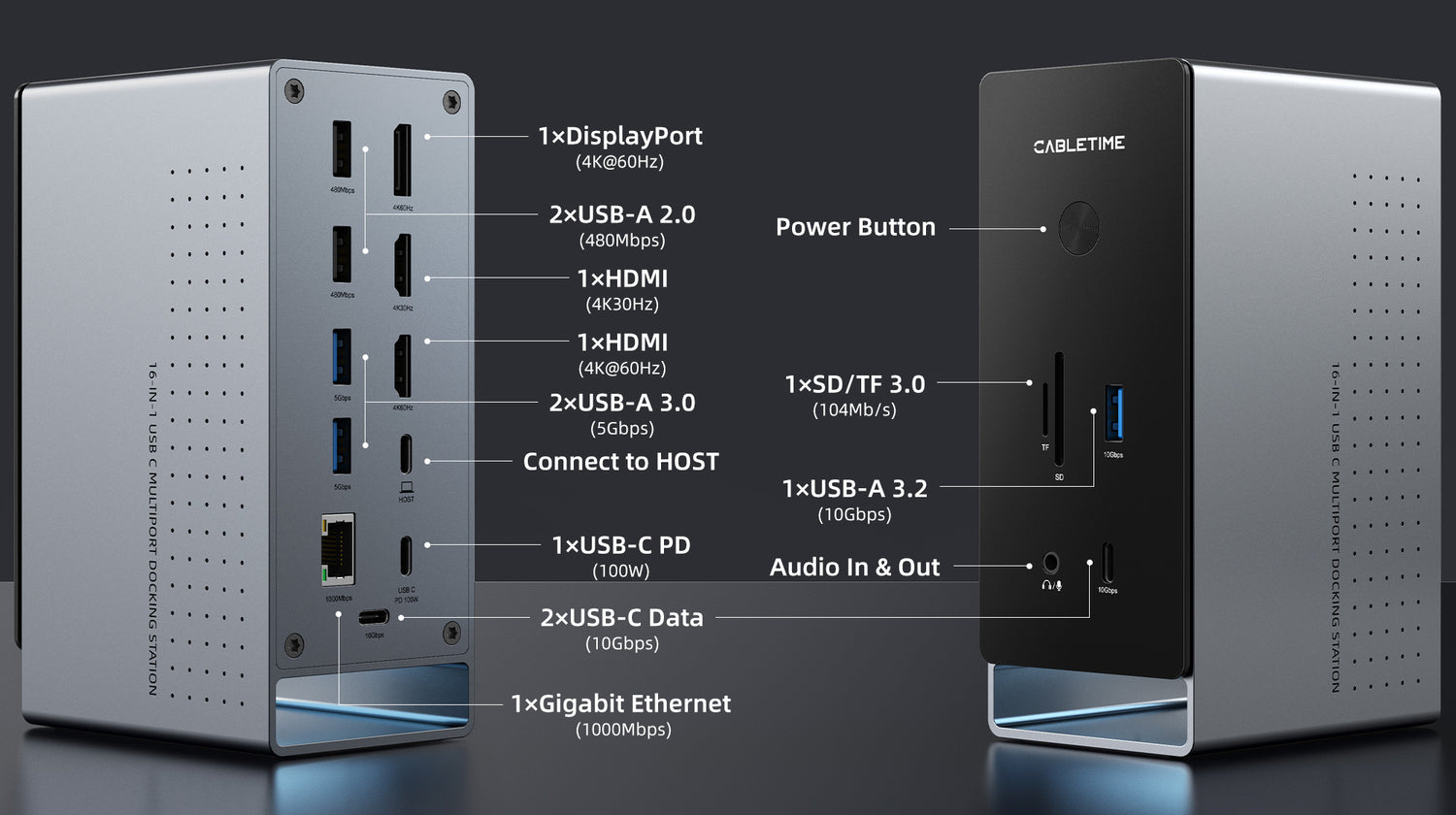
CABLETIME 3 monitors 16-in-1 USB-C docking station transforms your Windows or Mac laptop into a powerful multi-display workstation. Featuring dual HDMI ports, DisplayPort (up to 4K@60Hz), 100W USB-C Power Delivery, 10Gbps USB-C/A ports, SD/TF 3.0 card readers, and a Gigabit Ethernet port. The integrated magnetic M.2 SSD slot and aluminum housing offer both storage expansion and superior heat dissipation—perfect for Dell, HP, Lenovo, Surface, or MacBook setups
16 Ports Universal Dock Station
Maximize connectivity with this 16-in-1 USB-C docking station, featuring dual HDMI (4K@30Hz & 4K@60Hz), DisplayPort (4K@60Hz), 10Gbps USB-C/A ports, 100W PD charging, SD/TF 3.0 card readers, 1Gbps Ethernet, and a combo audio jack. Designed with a front-facing power button and ambient LED lighting, it also includes a magnetic M.2 SSD base—perfect for expanding your setup in both function and style.
Triple Display Productivity
Extend your workspace across up to three external monitors with stunning clarity. This USB-C docking station features two HDMI ports (one supporting 4K@60Hz, one at 4K@30Hz) and one DisplayPort at 4K@60Hz, allowing flexible setups for multitasking, creative work, and immersive productivity. Ideal for video editors, designers, and professionals running Windows MST-enabled laptops.(MacOS doesn't support MST)

For Windows Systems
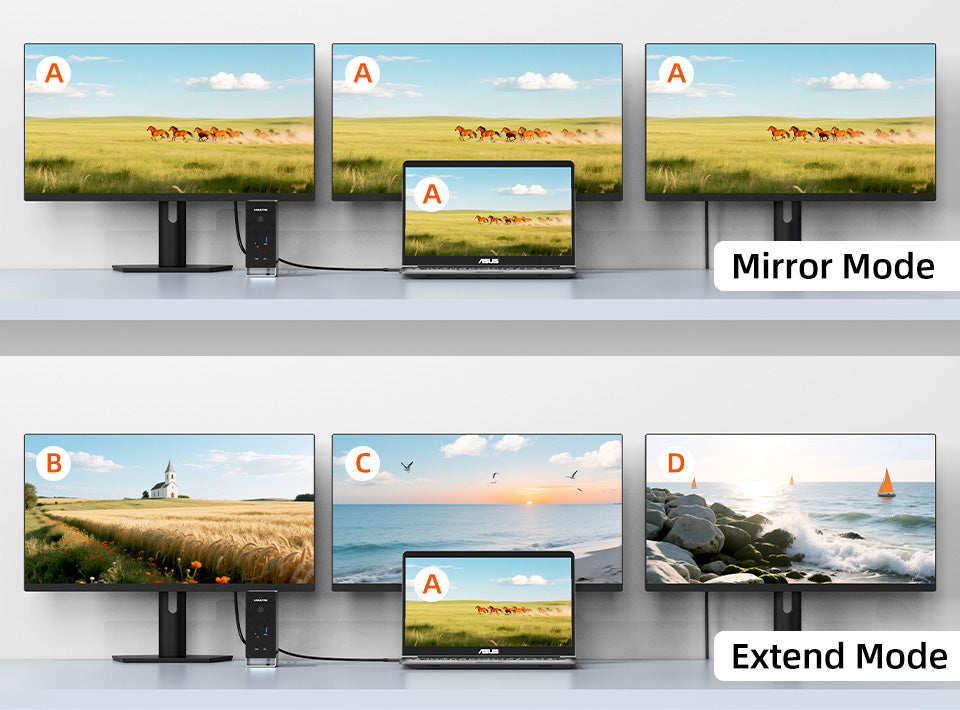
On Windows® laptops, you can mirror the same content or extend up to three monitors with different displays—great for multitasking and boosting productivity.
For MacOS
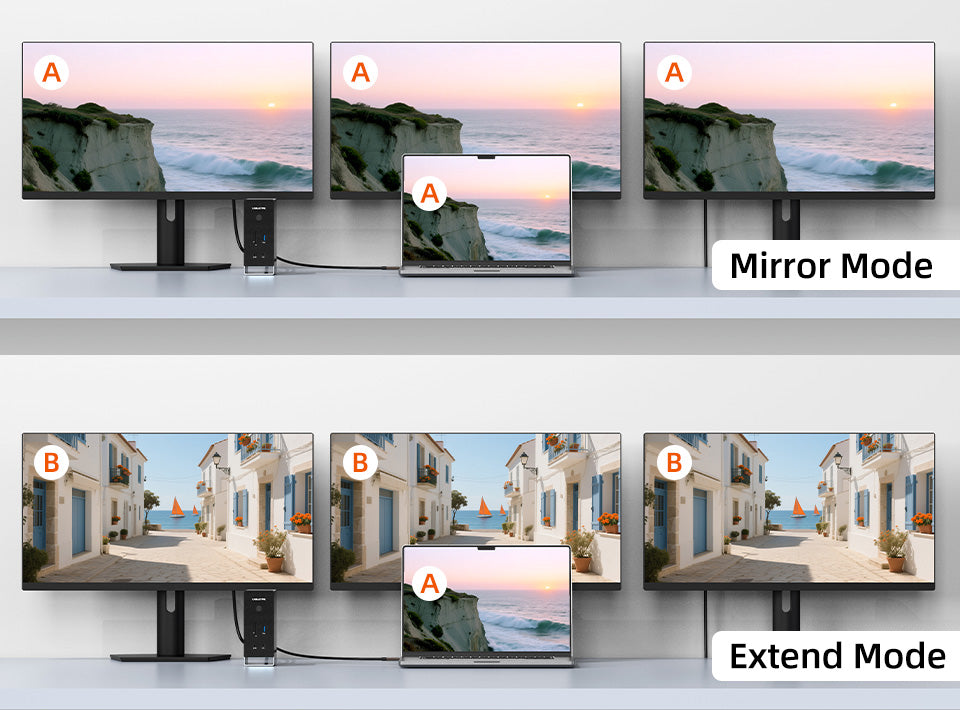
On Mac, it supports Mirror Mode or Extended Mirror Mode—you can mirror your laptop content on up to three monitors, or extend to three monitors showing the same content.

PD 100W Fast Charging
Keep your laptop fully charged while running multiple displays, transferring files, and connecting peripherals—all at once. With a dedicated 100W USB-C Power Delivery port, this docking station delivers fast, stable charging so you stay powered.

10Gbps Data Transfer
With seven USB ports for your keyboard, mouse, flash drive, ssd enclosure and more, this docking station keeps all your essential peripherals running smoothly. That includes 2×USB-C 3.2 and 1×USB-A 3.2 at up to 10Gbps, 2×USB-A 3.0 at 5Gbps, and 2×USB-A 2.0—perfect for both high-speed transfers and everyday accessories.

3.5mm Audio & Mic Combo Jack
Plug in your favorite headset and enjoy smooth audio and voice calls through the 3.5mm audio & mic combo port. Whether you're in meetings, gaming, or editing, this all-in-one jack delivers convenience and clarity—right from your laptop docking station.

Stable 1Gbps Wired Network Connection
Ditch the lag and enjoy lightning-fast, wired internet with the built-in 1Gbps Ethernet port. Perfect for streaming, video calls, and large uploads, it keeps your connection stable and secure—even when Wi-Fi can’t. Ideal for professionals who demand speed and reliability.
Clutter-Free SSD Expansion
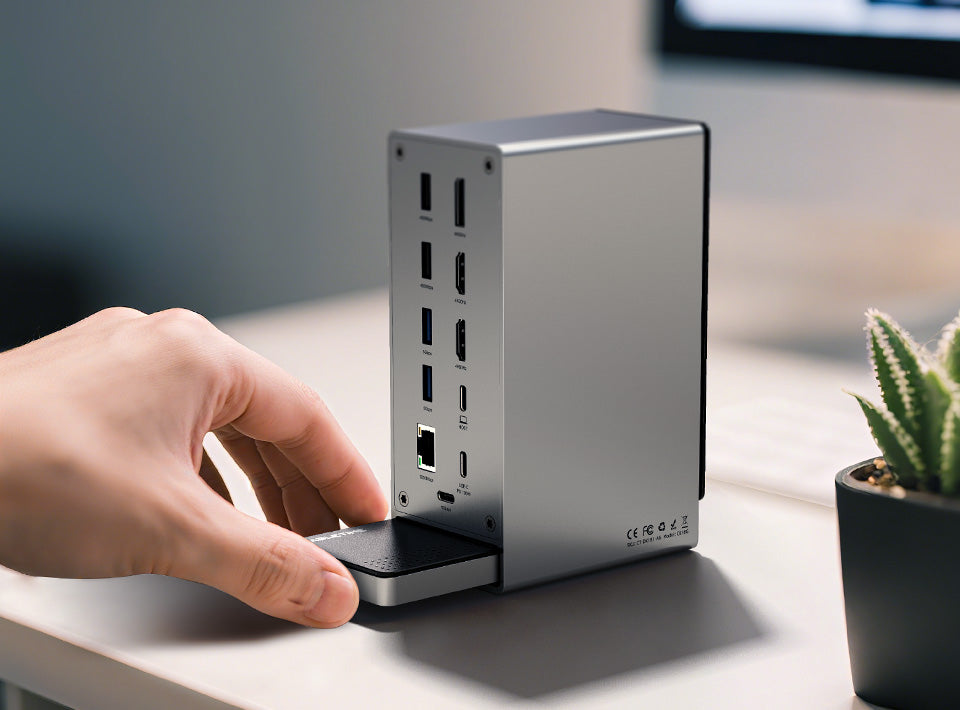
Pair the laptop docking station with the Cabletime magnetic SSD enclosure and slide it neatly into the integrated base—no loose cables, no messy setup. It’s the perfect way to expand your storage while keeping your workspace clean, modern, and fully optimized. (Magnetic SSD enclosure sold separately.)
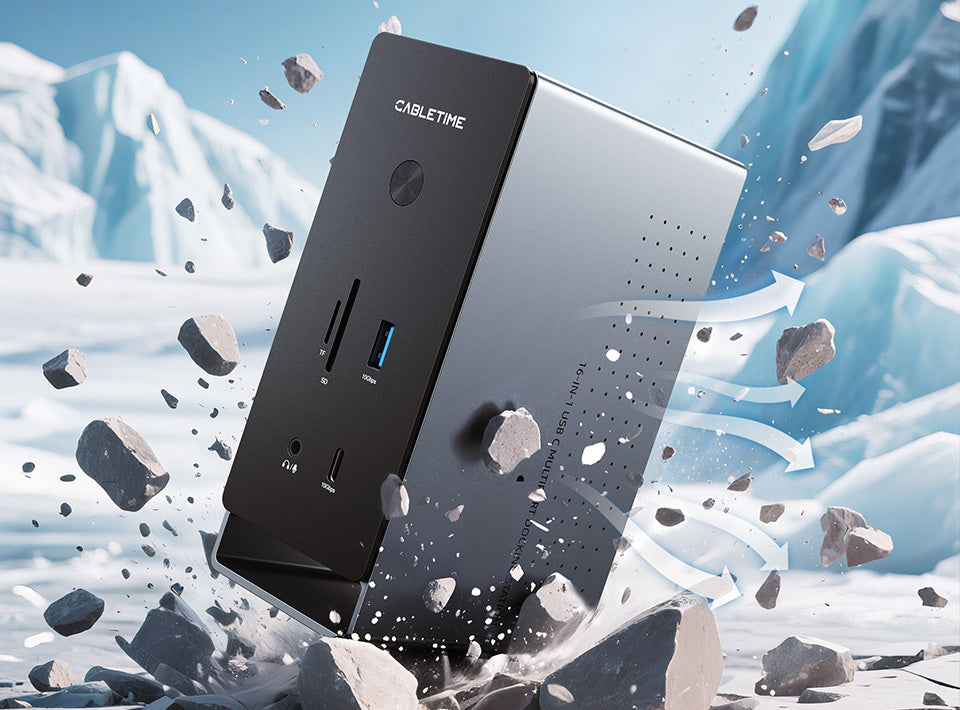
Pro-Grade Aluminum Design
Engineered with a full aluminum body, this docking station delivers a modern, minimalist look while ensuring exceptional heat dissipation and long-lasting durability. Its solid construction feels as professional as it performs—making it the ideal centerpiece for any workspace that demands both style and strength.
Standout Design Elements
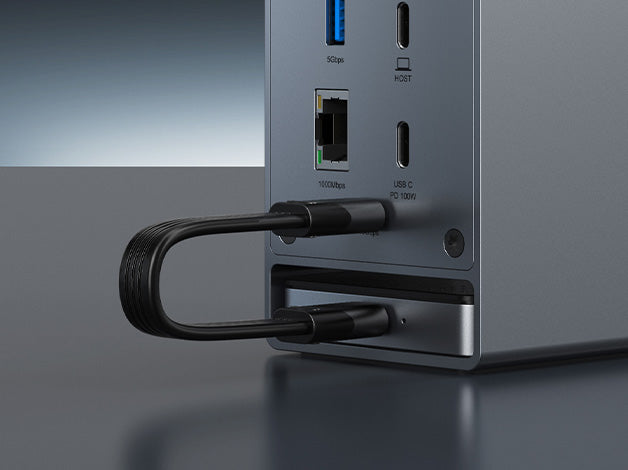
Compatible with SSD
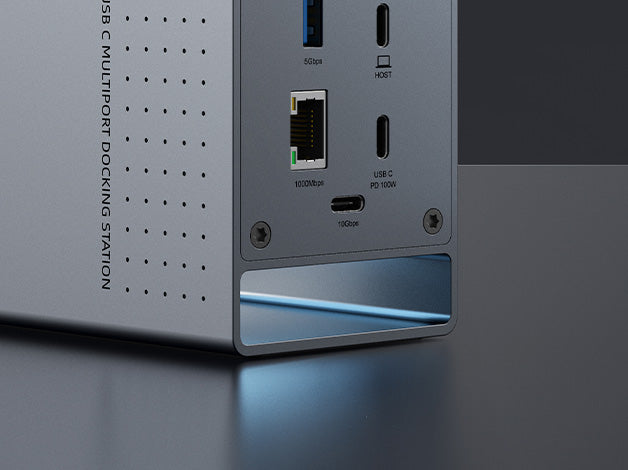
Ambient lighting
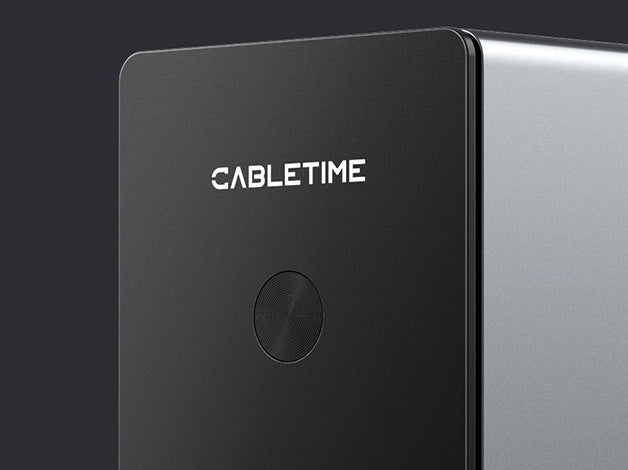
Portable Power Button
What's in the Box
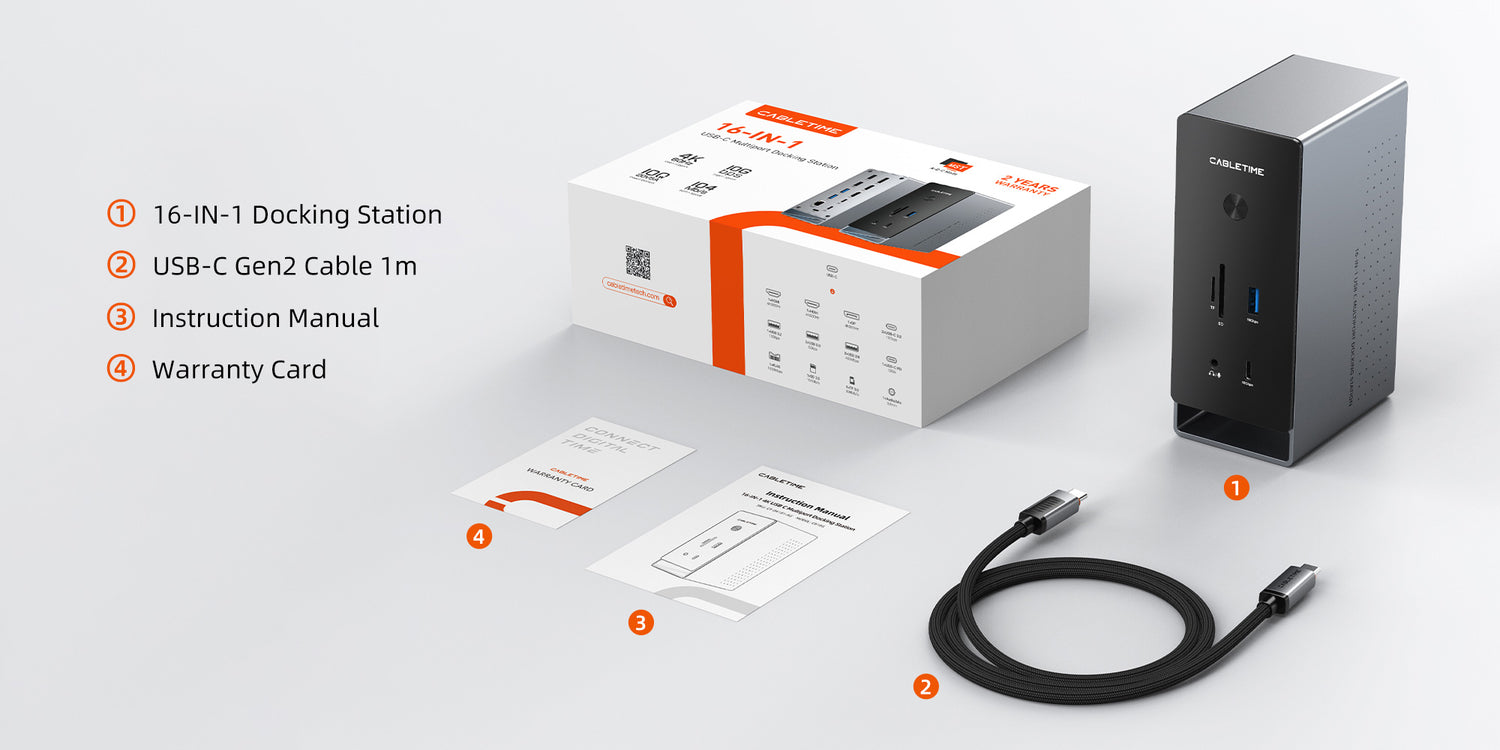
Connect in a clear sequence.
Check host compatibility, connect any required power supply, attach the host cable and then add peripherals. Configure display, network and audio settings where those functions are provided.
Will every USB-C port support all functions?
No. Port shape alone does not establish video output, charging or data capabilities. Match the host requirements and supported operating-system features listed for this product.
Which length or version should I select?
Use the product selector to choose the required option. Check that option against any model, connector, length or pack-size distinctions in the specifications before ordering.